
Appointment scheduling software

Everything you need to book clients and keep them coming back

For solo providers and teams: a booking page, deposits, calendar sync and client emails in one place. PurpleCal handles the appointment from the first click to the next visit.

Free plan. No credit card.

Set up in minutes: add a location, add a service, set your hours.

Book more clients

One link, your real availability, and payment taken before anyone walks in.

Scheduling & availability

A booking page that works while you don't

Share one link and clients book themselves from your live availability — no phone tag, no double-bookings. Slots show in each client's own time zone, and lead-time and booking-window rules keep your calendar shaped the way you want.
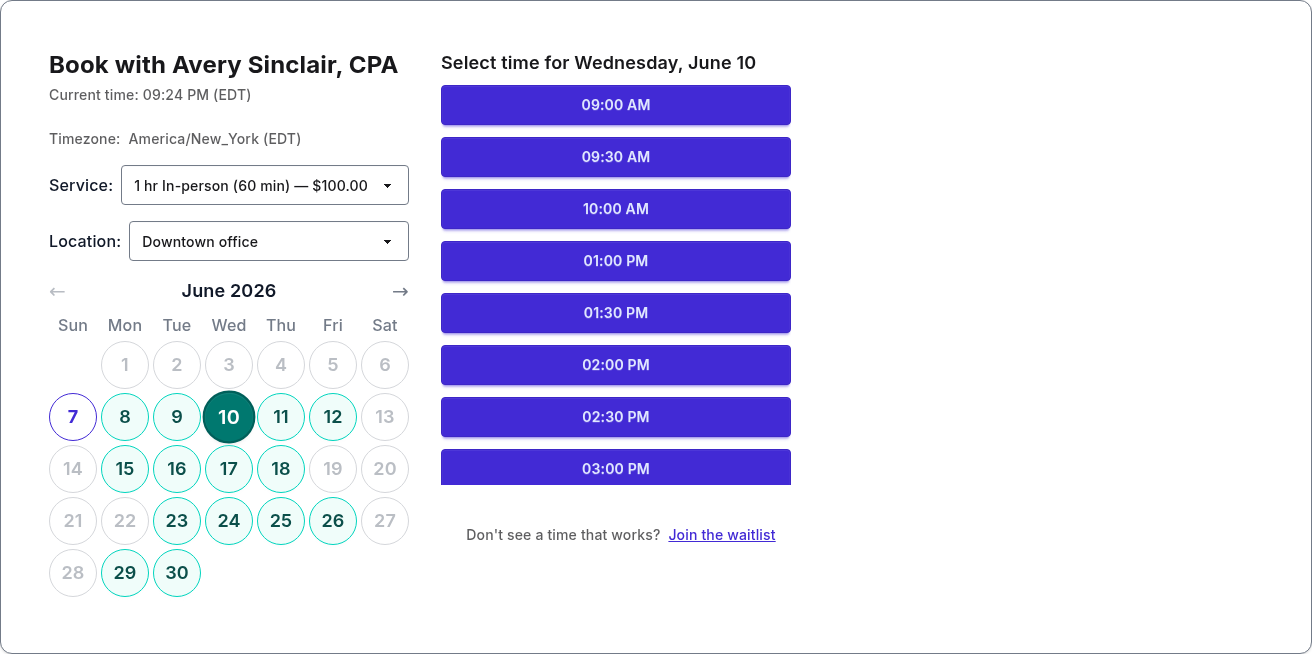
PurpleCal public booking page showing live availability and bookable time slots

Teams

A booking page for every team member, and one for the whole team

Each provider gets their own link, hours, services and prices. Clients can book the person they want, or pick a service and take whoever is free. Invite staff by email and choose who's an admin. The free plan covers one person; paid plans add team members.
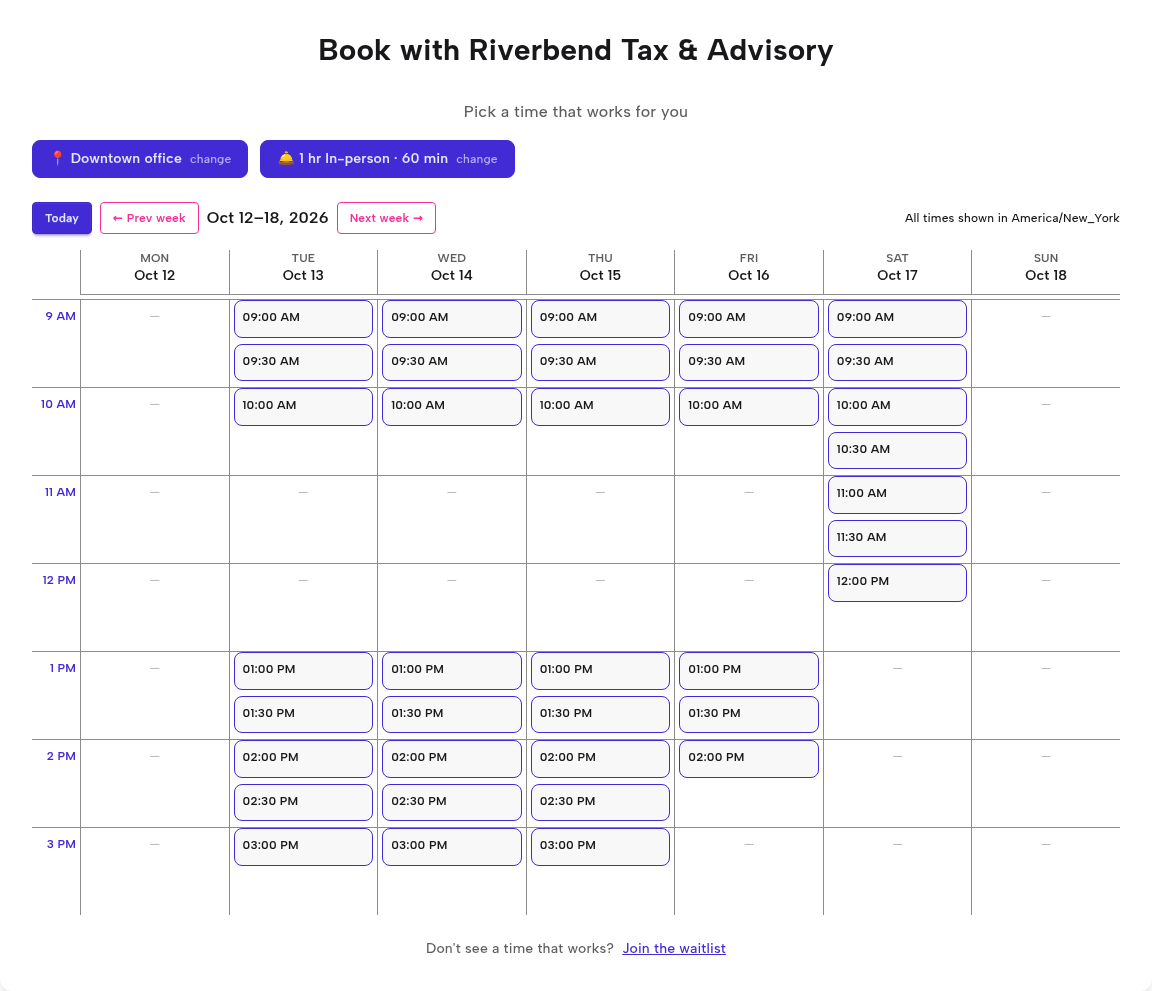
PurpleCal team booking page showing a week of open appointment times across the whole team for one service and location

Payments & deposits

Get paid before the appointment

Collect a deposit or the full price at booking through your own Stripe account, so payment is done before anyone walks in. Refunds follow the policy you set once — automatically.
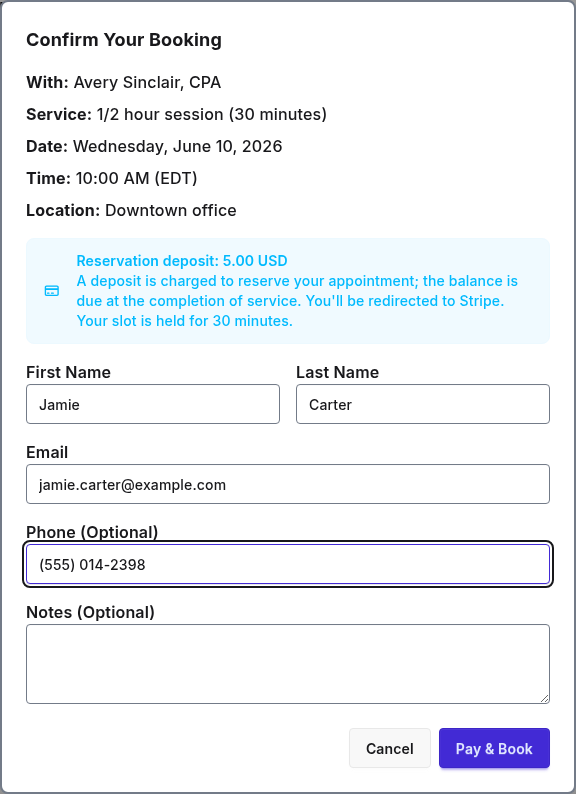
PurpleCal booking confirmation showing a 5 dollar reservation deposit with the balance due at the appointment

Calendar sync & integrations

Always in sync with the calendar you already use

New bookings land on your Google or Microsoft 365 calendar automatically. Connect either one to block busy times from the calendars you select, and wire PurpleCal into your own tools with a REST API and real-time webhooks.
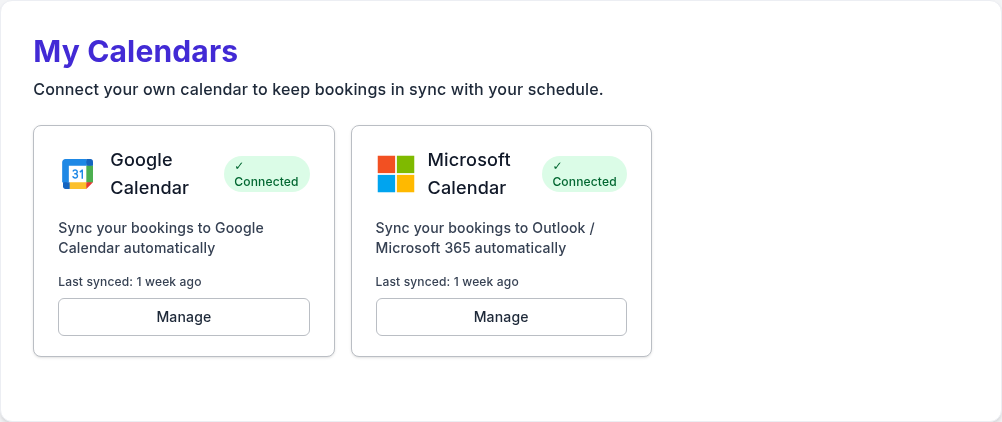
PurpleCal calendar settings showing Google Calendar and Microsoft Calendar both connected with automatic sync

Multiple locations

Run every location from one schedule

Set your weekly hours per location — mornings downtown, afternoons across town — and PurpleCal keeps each one bookable from a single calendar. Clients choose where they want to come and only see the slots you actually offer there.
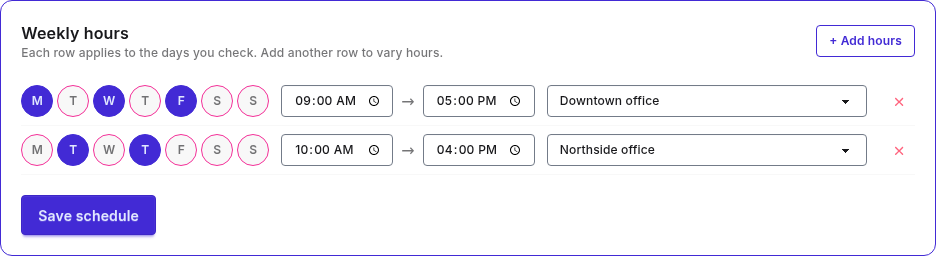
PurpleCal weekly schedule editor showing different days and hours assigned to a Downtown office and a Northside office via a per-row location dropdown

Keep them coming back

The first booking is the hard one. These bring clients back for the next.

Client emails

Bring the quiet ones back with one email

Find everyone who booked a service and hasn't returned in 90 days, six months or a year, and send them a message with a link to rebook. Or tell your whole list about new hours, a closure or a deadline. Replies come to your own address, unsubscribes are handled for you, and every send is kept in one history.
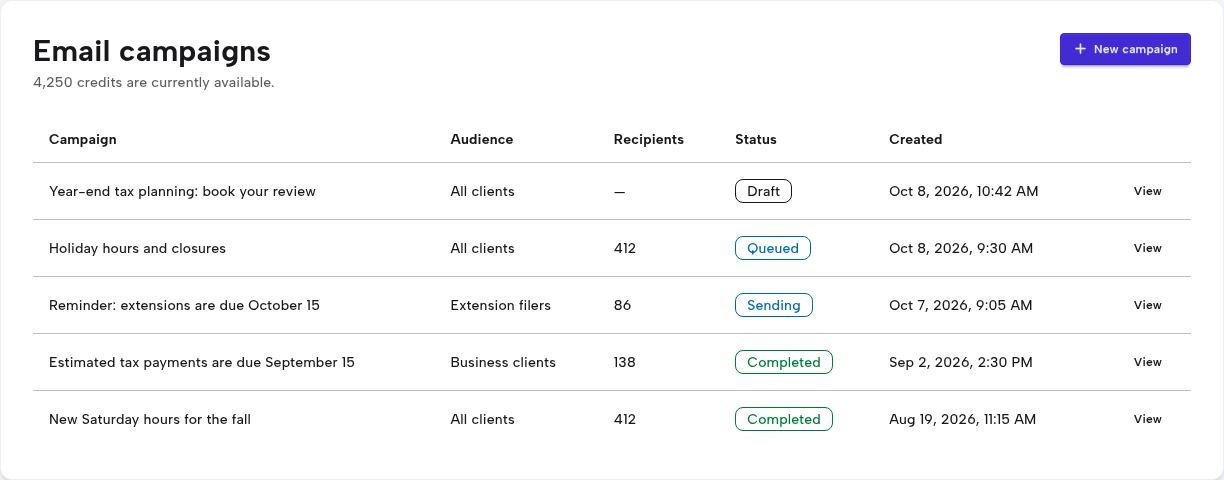
PurpleCal email campaigns page listing draft and completed campaigns with their audience, recipient count and status

Recurring & repeat clients

Set the series once, fill the gaps automatically

Offer weekly, biweekly, or every-four-week series and bill upfront or per session. When you're fully booked, clients join a waitlist and get notified the moment a matching slot frees up.
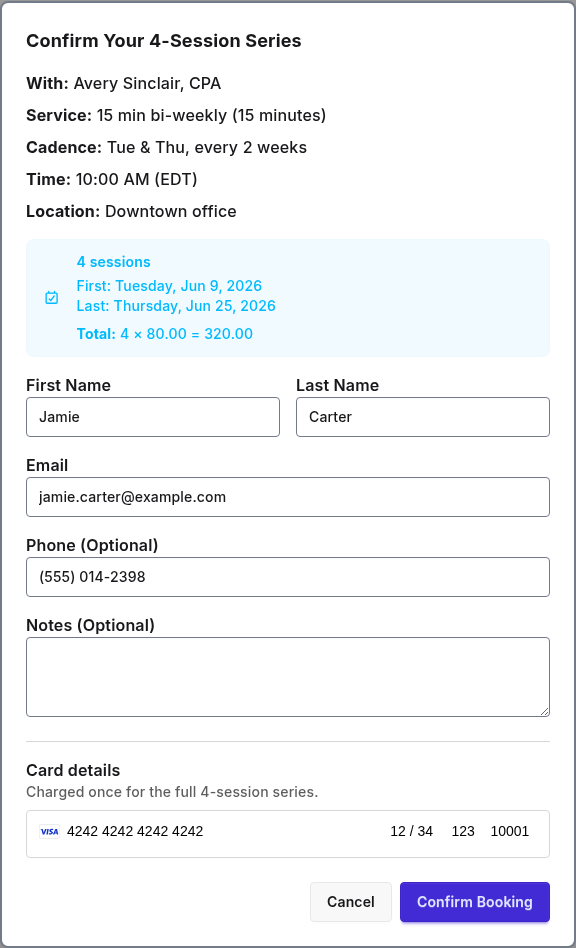
PurpleCal recurring series confirmation showing a 4-session biweekly booking billed upfront for the full series

Confirmations & reminders

Fewer no-shows, fewer phone calls

Clients get an instant confirmation and an email reminder before the appointment, and can reschedule or cancel from a secure link without calling you. Add your own instructions to every message.
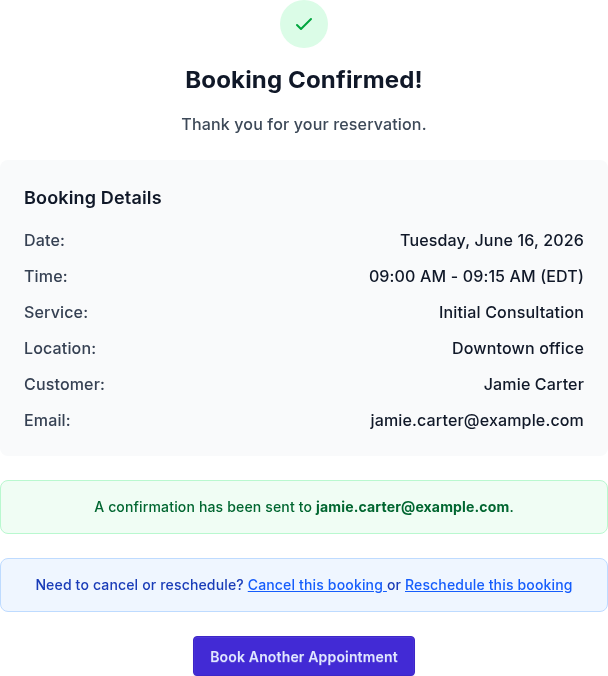
PurpleCal booking confirmation page with appointment details and self-service cancel and reschedule links

Everything in PurpleCal, at a glance

Scheduling & availability

  • Self-serve booking page. Clients book themselves from a shareable link that shows live availability.
  • Per-provider availability. Every team member sets their own weekly hours and locations.
  • Team booking. Clients book any available team member, or the person they want to see.
  • Multiple locations. Offer different hours at each location and let clients pick where to come.
  • Service days. Offer a service only on the weekdays you choose.
  • Time-zone aware. Slots display in each client's local time.
  • Booking-window controls. Set a minimum lead time and how far ahead clients can book.
  • Blackout dates & holidays. Block days off for the whole team or one member, with a holiday picker.

Payments & deposits

  • Deposits & reservation fees. Collect a deposit at booking to cut no-shows. Refund it or apply it to the visit.
  • Full payment at booking. Charge the full price upfront so payment is done before the appointment.
  • Direct Stripe payouts. Connect your own Stripe account. PurpleCal never holds your money.
  • Per-provider payouts. Each provider can be paid directly, or route everything to one team account.
  • Automatic refunds by your policy. Set your refund windows once and cancellations follow them.

Client emails

  • Email campaigns. Write one message and send it to your client list or a chosen group.
  • Segments. Pick clients by the service they booked or how long since their last visit.
  • Contact list & CSV import. Clients join your list as they book, and you can import the ones you already have.
  • Send a test to yourself. See any draft in your own inbox before it goes out.
  • Unsubscribes handled. Every email carries an unsubscribe link, and opt-outs are honoured automatically.
  • On every plan. Paid plans include monthly email credits. Free accounts can email clients who opted in when booking, with credits they buy.

Confirmations & repeat bookings

  • Automatic confirmation emails. Clients and providers get every booking detail the moment it's made.
  • Appointment reminders. Clients get an email reminder before the appointment.
  • Self-service reschedule & cancel. Clients change a booking from a secure link, with no call to you.
  • Custom booking messages. Add intake instructions or parking notes to confirmations and reminders. Paid plans can set them per service.
  • Recurring & series bookings. Weekly, biweekly or every-four-week series, billed upfront or per session.
  • Waitlist. When you're full, clients are told the moment a matching slot opens.

Calendar sync & integrations

  • Google Calendar sync. New bookings are added, and busy events on the calendars you select block those times.
  • Outlook & Microsoft 365 sync. The same two-way protection for Microsoft calendars.
  • API & webhooks. A REST API and real-time webhooks that fire on every booking event. Paid plans.

Your brand & your team

  • Custom booking link. Claim a clean booking URL for your team and for each provider.
  • Your colours and logo. On your booking pages and emails. Paid plans.
  • Service catalog & per-provider pricing. Build the menu once. Each provider offers their own subset at their own price.
  • Team roles & invitations. Invite staff by email and assign admin or member roles.
  • Email support. Get help by email from inside the app. Included on all plans.

Put your booking page to work. Clients book themselves, deposits cut no-shows, and your emails bring the quiet ones back.