

Purplecal
For classes, workshops & group meetings
Set the time, set how many places, share one link. People book their own spot, see how many are left, and get a reminder before it starts.
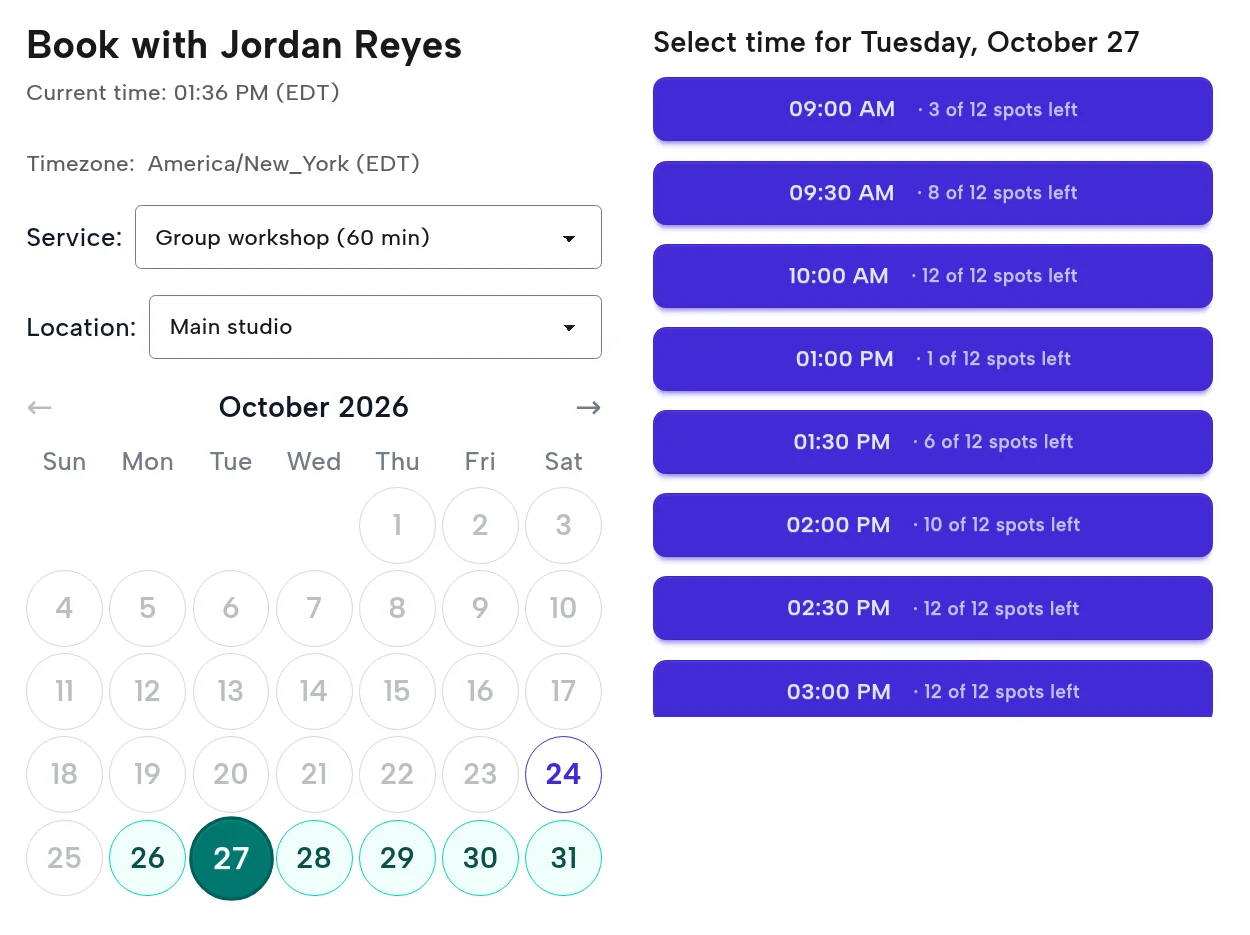
Here's what PurpleCal takes off your plate.
Names on a clipboard, a spreadsheet or a group chat, and nobody sure which list is current. Everyone books from one link instead.
Messages asking whether a session is full. The booking page shows how many places are left and stops taking bookings when there are none.
Someone signed up weeks ago and the date slipped their mind. Everyone who books gets an email reminder before it starts.
Choose how many people can book each time: 8 for a class, 40 for an info session. It closes itself when it's full.
Each time shows how many places remain, like "3 of 12 spots left", so people book before it fills.
Each person gets their own confirmation, with a link to cancel if plans change. A cancelled place opens up again for someone else.
Email reminders go out ahead of every session, so fewer places go unused.
If you want one, ask for a small deposit at booking, even for a free session, so the people who book turn up.
Run a one-off event on a single date, or set weekly hours for a regular class or meeting.